You're not here to explore Instagram's features. You're here because there's a specific profile, a specific highlights reel, and Instagram is blocking you with a login prompt. Maybe you deleted your account months ago. Maybe you never had one. Either way, you just want to see the public content, and the fact that it's sitting on a completely public profile makes the restriction even more frustrating.
Here’s what most guides won’t tell you: in 2026, free third-party tools can pull up any public Instagram highlights viewer instantly, no account, no app, completely anonymous. This guide covers exactly how to do it, which tools actually work right now, and how to avoid the sketchy ones.
Can You Actually View Instagram Highlights Without Logging In?
Yes, you can see Instagram highlights anonymously without logging in, but only if the account is public. If someone has set their profile to private, no tool, or trick, will get you in. That's not a limitation of any particular app or service; it's Instagram's own privacy architecture doing exactly what it's supposed to do. So if you're trying to peek at a private account's highlights, save yourself the time; it genuinely isn't possible. For public accounts, however, you have several reliable options.
One thing people always ask: will the account owner know you viewed their highlights? No. Reputable third-party highlight viewers are built around anonymity; your view does not appear in their story viewers list or their analytics. You are essentially invisible. Instagram has no official highlights viewer of its own, so you’re always relying on third-party tools. Stick to well-known, established ones.
How to View Instagram Highlights Without an Account on FreeSave
If you're specifically using Free-Save, the process is about as straightforward as it gets:
-
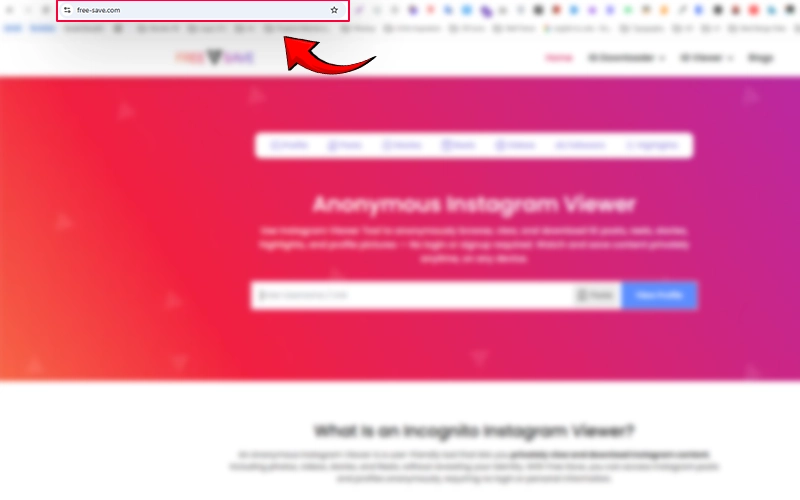
Open the site in any browser, through Chrome, Safari, Firefox, doesn't matter.
-
Type in the Instagram username of the public account whose highlights you want to see.
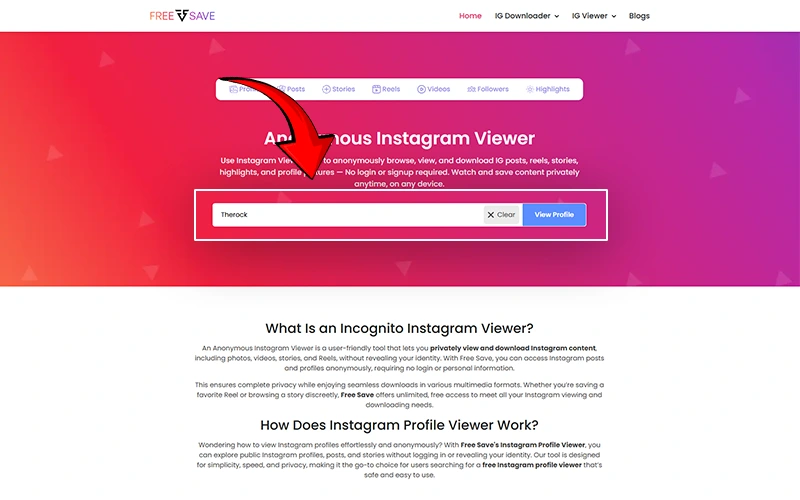
-
Hit “View Highlights”, and the tool will load their profile content.
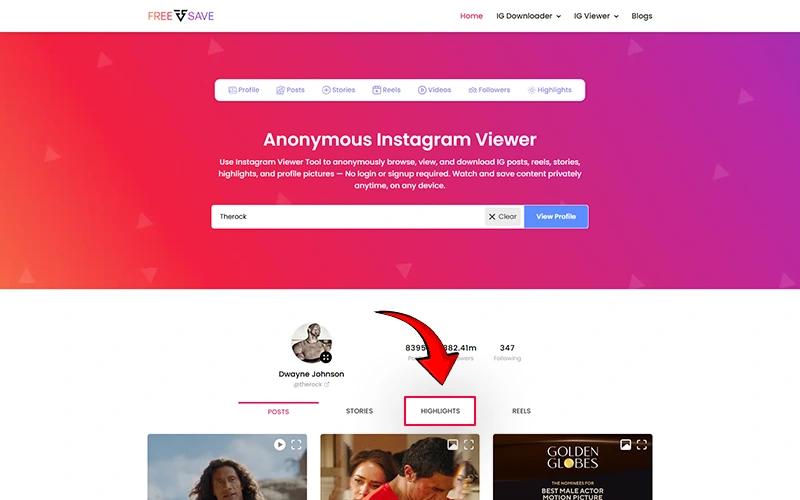
-
Browse their highlights completely anonymously. No login, no trace, no notifications sent to the account owner.
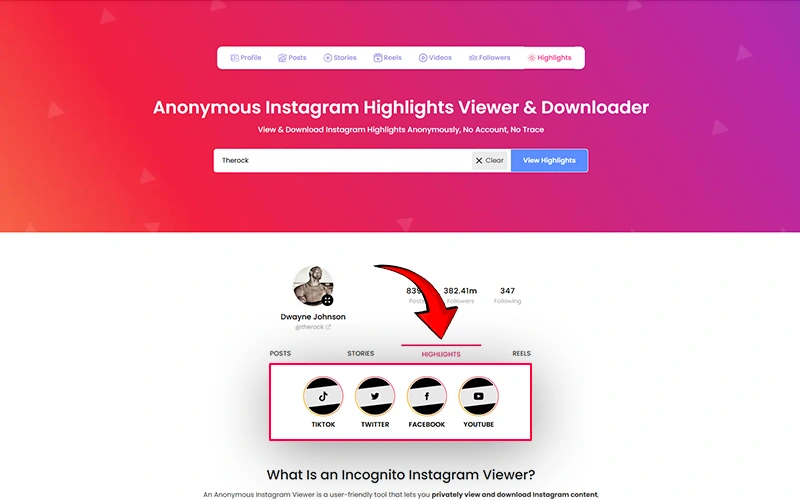
You can also view Instagram stories anonymously through the same process. Free-Save.com does not require sign-up, does not redirect through ad-stacked pages, and skips the repetitive “verify you’re human” prompts that slow down other tools.
Important: This only works on public profiles. No tool, including FreeSave, can retrieve content from private accounts.
How to Spot a Safe Instagram Highlights Viewer vs. a Sketchy One
The clearest red flag: a tool that asks for more than a username.
A legitimate anonymous Instagram highlights viewer needs exactly one input, the target username. Close the tab immediately if a site asks for:
-
Your email address
-
Your Instagram login credentials
-
Survey completion to “unlock” content
-
App downloads before showing results
-
Clipboard access, location permissions, or push notifications
Trustworthy tools load results cleanly, work without browser extensions, and do not request permissions that have no relevance to displaying a highlights reel.
What You Can (and Cannot) View Without an Instagram Account
Lets now hop on and have a look at the things you can and cannot watch:
What You CAN View (Public Accounts Only)
-
Instagram Highlights: The main event. Highlight reels pinned to someone's profile are fully accessible on public accounts through third-party viewers, no login needed.
-
Stories (Recent): Active stories that haven't expired yet can often be viewed anonymously through dedicated tools, again only for public profiles.
-
Posts and Photos: Regular feed posts, carousels, and photos on public accounts are viewable without an account.
-
Reels: Most third-party tools can pull public Reels just as easily as they can regular posts.
-
Profile Information: Bio, follower count, following count, and profile picture are generally accessible on any public account. If you've ever wanted to browse a public Instagram profile without logging in, an Instagram profile viewer is exactly what you need. It lets you see posts, highlights, reels, and profile details completely anonymously, without Instagram ever knowing you were there.
-
Tagged Posts: Posts a public account has been tagged in are usually retrievable as well.
What You Cannot View
-
Private account content: Everything on a private profile is completely locked. No tool, trick, or workaround changes this.
-
DMs and direct messages: These are private by design. No third-party tool has access to someone's inbox, and any site claiming otherwise is outright lying to you.
-
Expired Stories: Once a story disappears after 24 hours and hasn't been saved to highlights, it's gone. No viewer can retrieve content that Instagram itself no longer serves. If someone's Instagram story is sitting on a public profile and you don't have an account, or simply don't want to be seen, an Instagram story viewer lets you watch it completely anonymously, no login required, no trace left in their viewer list.
-
Archived Posts: Content a user has manually archived is hidden from everyone except the account owner. Third-party tools can't access it.
-
Close Friends Stories: These are restricted even within Instagram itself, so outside tools have zero chance of retrieving them.
-
Account Activity and Analytics: You can't see who someone follows recently, their engagement data, or behavioral insights through a simple highlights viewer.
Final Thoughts
Viewing Instagram highlights without an account in 2026 is completely doable and free. It takes less than a minute when you're using the right tool. The key is to stick to tools that only ask for a username, stay away from anything that feels pushy or overly complicated. Always remember that private accounts are off-limits, no matter what anyone tells you. At the end of the day, the method is not that complicated. You just need to find a tool you trust, type in the username, and you're done.
Frequently Asked Questions
Can you view Instagram Highlights without an account?
Yes. Public Instagram Highlights can be viewed through third-party viewer tools without logging in. Private accounts are not accessible by any method.
Does the person know if you viewed their Highlights anonymously?
No. Anonymous Instagram Highlights viewers do not notify the account owner and your view does not appear in their viewer list.
Do Instagram Highlights expire?
No. Instagram Highlights remain on a profile indefinitely until the account owner manually removes them.
Can I download Instagram Highlights without an account?
Yes. Many Instagram Highlights viewer tools allow you to download public Highlights without signing in.
Is it safe to use an Instagram Highlights viewer tool?
It can be safe if you use a reputable tool. Never enter your Instagram login credentials into any third-party site. A legitimate tool only needs the target username, nothing else.
How long does Instagram keep Highlights viewer data?
Instagram only shows viewers for stories within the first 48 hours after posting. After that window closes, the viewer list is removed and only the total view count remains. Highlights accessed through third-party tools are never logged on the account owner’s side.