Have you ever watched an Instagram Story that you wished you could revisit, only for it to vanish 24 hours later? Whether it's your favorite influencer's travel highlight, a friend's celebration, or your own creative post you forgot to save, losing it is genuinely frustrating. Instagram doesn't offer a straightforward built-in option to download other people's Stories, but there are several safe, free, and easy methods to do exactly that, without losing quality or violating Instagram's guidelines.
In this guide we cover the top 5 proven methods for downloading and saving Instagram Stories in 2026 whether you're using an Android device, an iPhone, or a desktop. We'll also walk you through step-by-step instructions on how to save any Story you love, without compromising quality and or violating Instagram's rules. Each method takes just a few minutes to set up, let's get started.
Also Read: How to Download Instagram Reels
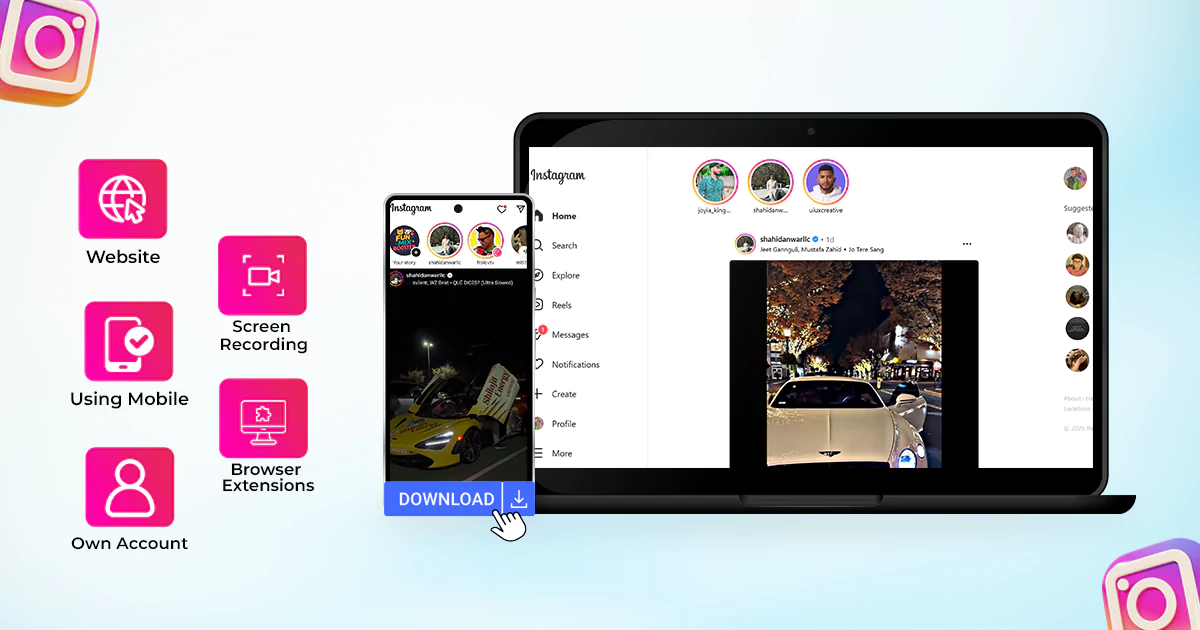
5 Best Ways to Download Instagram Stories in 2026
Whether you want to save your own Stories or download public content from another account, the methods below are reliable, free, and work across all devices.
Note: these methods only work for public accounts. You cannot download Stories from private accounts without permission.
1. Use an Online Instagram Story Downloader Tool
The quickest way to download Instagram Stories is by using a free online downloader. These web-based tools work on any device without requiring app installation or an Instagram login, meaning you can save Stories completely anonymously.
Free-Save is one such tool that makes the process simple and secure. You can use it to:
-
Download Instagram Story videos in HD
-
Save Instagram Stories with music
-
Download Instagram status videos on PC
-
Save content without watermarks or quality loss
How to download Instagram Stories with Free-Save:
-
Visit Free-Save and go to the Instagram Story Downloader
-
Paste the profile link or Story URL into the search bar
-
Click Download, your Story is saved instantly to your device
Free-Save is compatible with all devices: PC, laptop, iPhone, and Android. No account or login is required.
2. Save Instagram Stories Using a Mobile App
If you prefer a dedicated mobile experience, several third-party apps are designed specifically to download and save Instagram Stories. These apps are available on both the Google Play Store (Android) and the App Store (iOS).
Popular options include:
-
Android: “Story Saver” or “Repost Story”
-
iOS: “Story Reposter” or “Instant Save”
Most apps ask you to paste the Story link or log in to your Instagram account. Once connected, you can save Stories, including those with background music, directly to your camera roll in just a few taps.
3. Download Your Own Instagram Stories from Your Account
If you want to save Stories you have posted yourself, Instagram provides a built-in option, no third-party tools needed.
While the Story is live, tap the three-dot menu (•••) at the bottom right of your Story and select “Save” or “Save Video.” The file downloads directly to your phone’s gallery.
If your Story has already expired, Instagram automatically stores it in the Archive. Here’s how to find it:
-
Go to your profile and tap the menu (☰) in the top right corner
-
Select “Archive,” then choose “Stories Archive”
-
Tap any Story and select “Save” to download it to your device
This is the safest and most straightforward way to back up your own content directly inside the Instagram app.
4. Use Screen Recording to Capture Any Instagram Story
Screen recording is a universal backup method that works on every device, no additional apps or accounts required. Simply open the Story you want to save, start your device’s built-in screen recorder, and let the Story play to completion.
-
iPhone: Swipe to Control Center and tap the Screen Recording button
-
Android: Pull down the notification shade and tap Screen Record
-
Mac: Use QuickTime Player > New Screen Recording
-
Windows: Press Win + G to open Xbox Game Bar, then click Record
The recording saves automatically to your gallery or Downloads folder. This method also captures Stories with music, stickers, and interactive elements intact.
5. Use a Browser Extension to Download Instagram Stories on PC
If you primarily browse Instagram on a computer, a browser extension is one of the most convenient ways to download Stories directly from your desktop. Extensions for Chrome and Firefox let you save Stories without switching to your phone.
Once installed, simply open Instagram in your browser, navigate to the Story you want, and click the extension’s download button. Many extensions support:
-
Single-story and bulk story downloads
-
Stories saved with background music
-
HD downloads with no watermark
This is the most efficient option for anyone who regularly saves Instagram Stories on a PC or laptop.
Final Thoughts
Knowing how to download Instagram Stories means you’ll never lose a moment again, whether it’s a recipe from a food blogger, a travel highlight from an influencer, or a memory from a friend’s celebration. From free online tools and mobile apps to screen recording and browser extensions, the five methods covered in this guide work across all devices and require no technical expertise. You can also download Instagram Highlights and Stories with music using these same approaches.
Frequently Asked Questions (FAQ)
Can I download Instagram Stories without the account owner knowing?
Yes. When you use an online downloader like Free-Save or a browser extension, your activity is not visible to the Story’s owner. They will not receive a notification, and you will not appear in their viewer list.
Can I download Stories from a private Instagram account?
No. Third-party downloaders and online tools only work with public accounts. You cannot download Stories from private profiles using these methods.
Is it legal to download someone else’s Instagram Stories?
Downloading content from public accounts is generally permitted for personal use. However, republishing, selling, or commercially reusing someone else’s content without their permission may infringe on their copyright. Always credit the original creator if you share their work.
Can I download Instagram Highlights as well?
Yes. Most online tools, including Free-Save, also support downloading Instagram Highlights in addition to regular 24-hour Stories. The process is the same, paste the profile link and select the Highlights you want to save.